Join our next webinar on April 29: SIGN UP NOW
Take the musicianship skills of your students to the next level with EarMaster Cloud
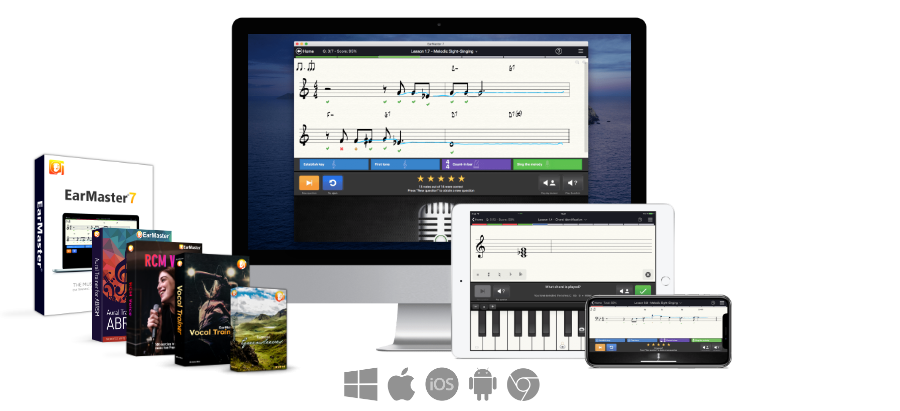
EarMaster Cloud makes ear training and sight-singing practice easy and motivating for your students. Available as an all-in-one solution for schools, conservatories, choirs and private studios of any size, it includes:
- Student version of EarMaster on iOS, Android (including Chromebook), Windows and Mac, for both home and school use, with 4000 built-in lessons including the Aural Trainer for ABRSM, RCM Voice, and Vocal Trainer courses.
- Teacher version of EarMaster on Windows and Mac including everything from the student version, plus additional tools to create and send assignments, track students results, etc.
- Cloud syncing of assignments and student results.
- Web dashboard to easily manage users and classes.
- Free and unlimited email support for both students and teachers.
Request Free Trial or Live Demo
Topics covered in EarMaster
Melodies
Sight-singingMelodic dictation
Melody singback
Rhythm
Rhythmic sight-readingRhythm clapback
Rhythmic dictation
Rhythm error detection
Intervals
Interval hearingInterval singing
Interval comparison
Chords & scales
Chord hearingChord inversions
Chord progressions
Scale hearing
Why use EarMaster Cloud?
Self-assessment leads to better learning outcomes
EarMaster's detailed feedback helps students improve quickly though self-assessment.
Monitor class results with one click
EarMaster gives educators a splendid overview of the performance of the students.
Covers all aspects of Aural Training
Exercises in sight-singing, rhythm, scales, intervals, chords, dictations, and much more.
Built-in courses for ABRSM Aural 1-5 and RCM Voice 1-8
Hundreds of ready-to-use exercises to prepare for ABRSM Aural Tests at grades 1-5 and RCM Voice at levels 1-8.
Fun and motivating
EarMaster is serious fun! Makes you want to come back an beat your last score. The perfect way to get students to practice more than ever!
Affordable and flexible licensing
Prices range from $4.50 to $19.50 a year per student or teacher [More details]
Used at leading educational institutions








Request Free Trial or Live Demo
"I needed a way to get students to practice sight singing regularly and on their own, and EarMaster has been very effective for that purpose. The program does a much better job of detecting and accurately evaluating singing than did the other software I had been using previously, leading to fewer complaints from students and, I think, better learning outcomes".
Daniel Goldberg, Assistant Professor in Residence of Music Theory, University of Connecticut, USA
Teacher version on Windows and Mac
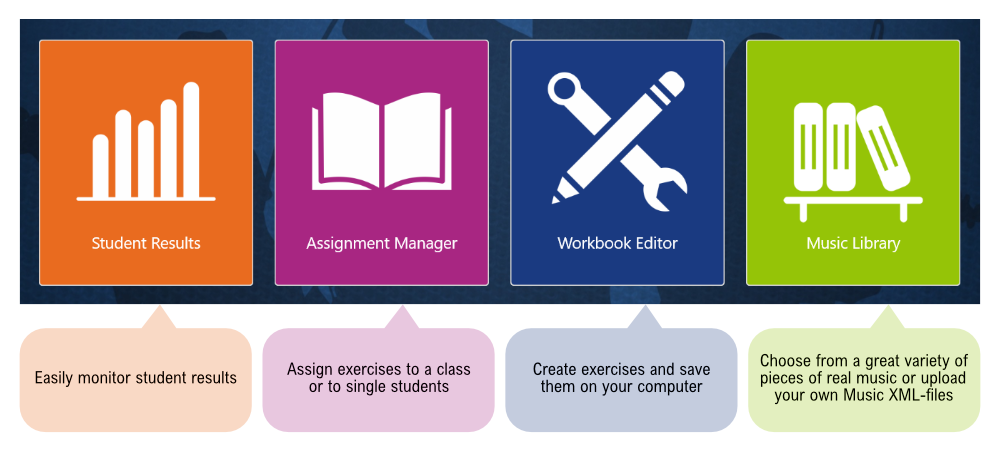
With EarMaster Cloud, teachers get access to everything from the student version of EarMaster, plus a set of additional teaching tools on PC and Mac:
- A Workbook Editor to create exercises and assignments for your students, either from scratch or by importing from EarMaster's built-in courses
- An Assignment Manager to easily assign workbooks remotely
- A complete interface to monitor Student Results
- A Music Library where you can browse, edit and store all the musical items (intervals, chords, scales, etc.) used in your exercises, including a collection of 600+ Classical and Jazz scores
- an online Admin Console to manage users and classes online
- Cloud syncing of assignments and results for remote teaching
Create exercises easily with the Workbook Editor
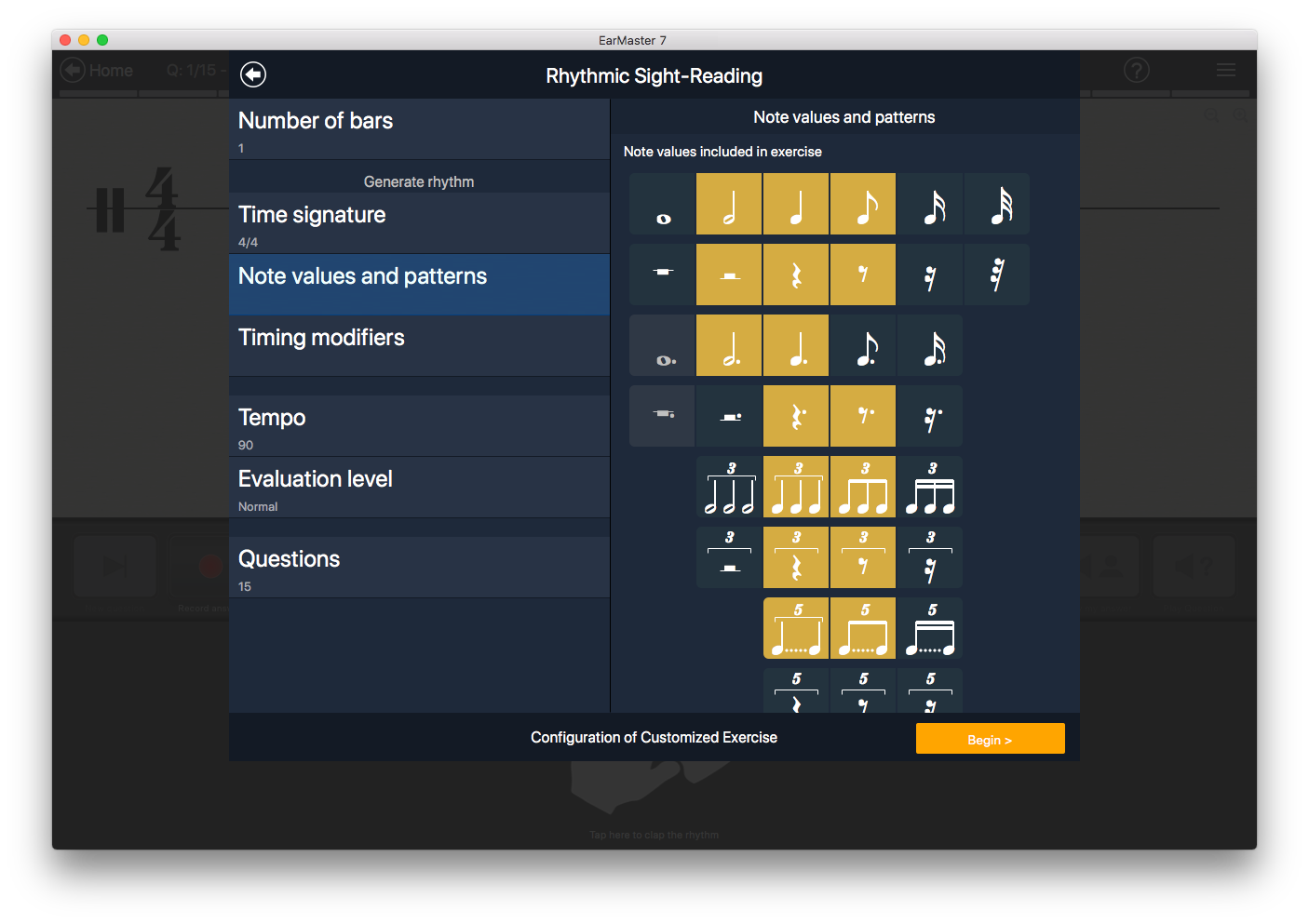 EarMaster Cloud comes with a built-in workbook editor that will help you create complete sets of exercises that follow your class curriculum.
Workbooks made in EarMaster are easily assigned to whole classes or to individual students. Workbooks assigned to a student show up automatically in EarMaster when he/she starts it.
You can configure the activities available in EarMaster to have the software generate exercises on-the-fly, or you can base your assignments on scores from EarMaster's score library. It includes 200+ Jazz lead sheets taken from the Fake Book, as well as 400+ classical scores (Bach, Mozart, Haydn, etc.).
Monitor the results of your students
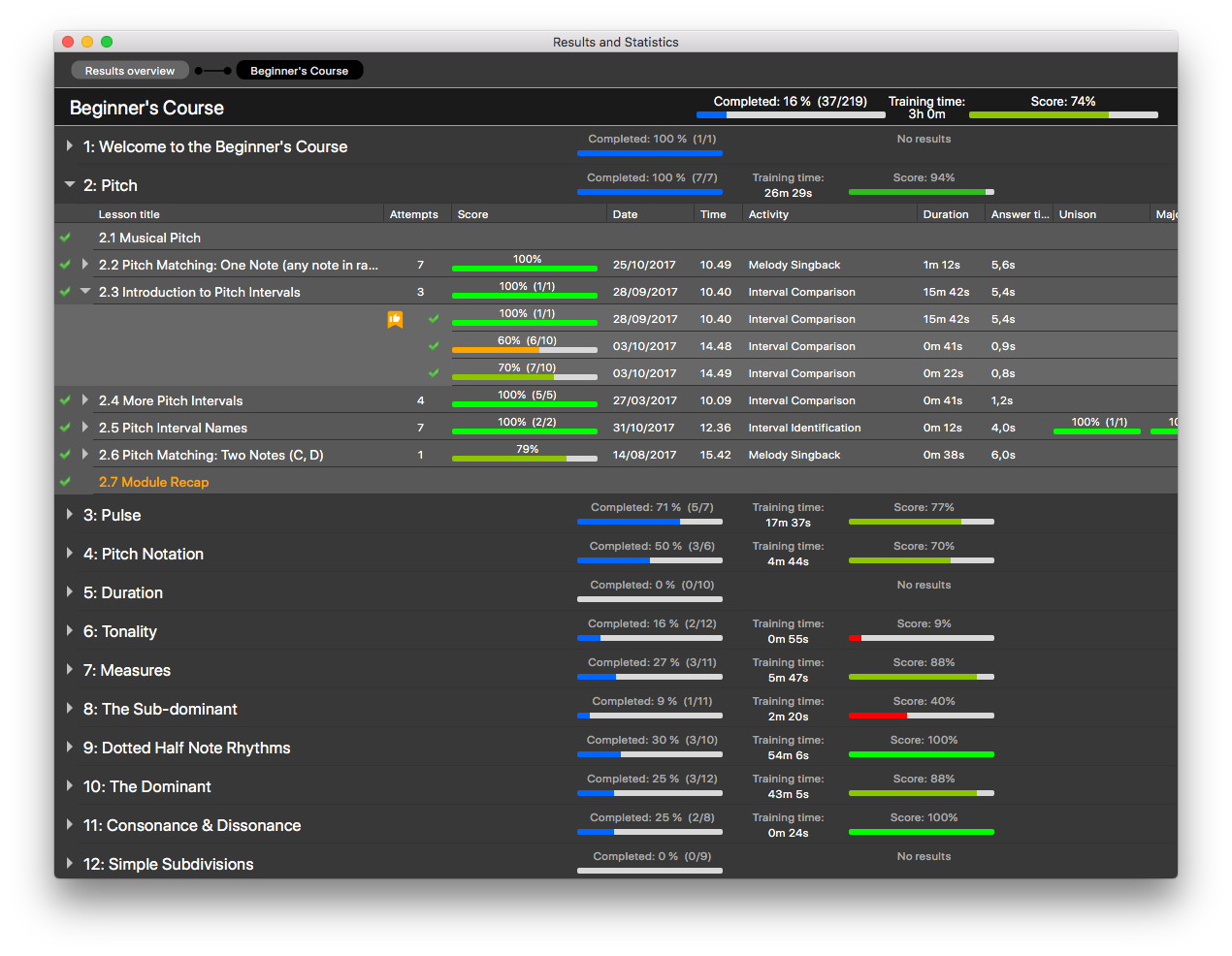
The Student Results interface displays useful information about the results of each student. It makes it very easy to spot areas which some of your students may be struggling with, or to identify topics that need to be covered for the next class sessions. All results and statistics can be printed or exported to a CSV file.
Hand out assignments
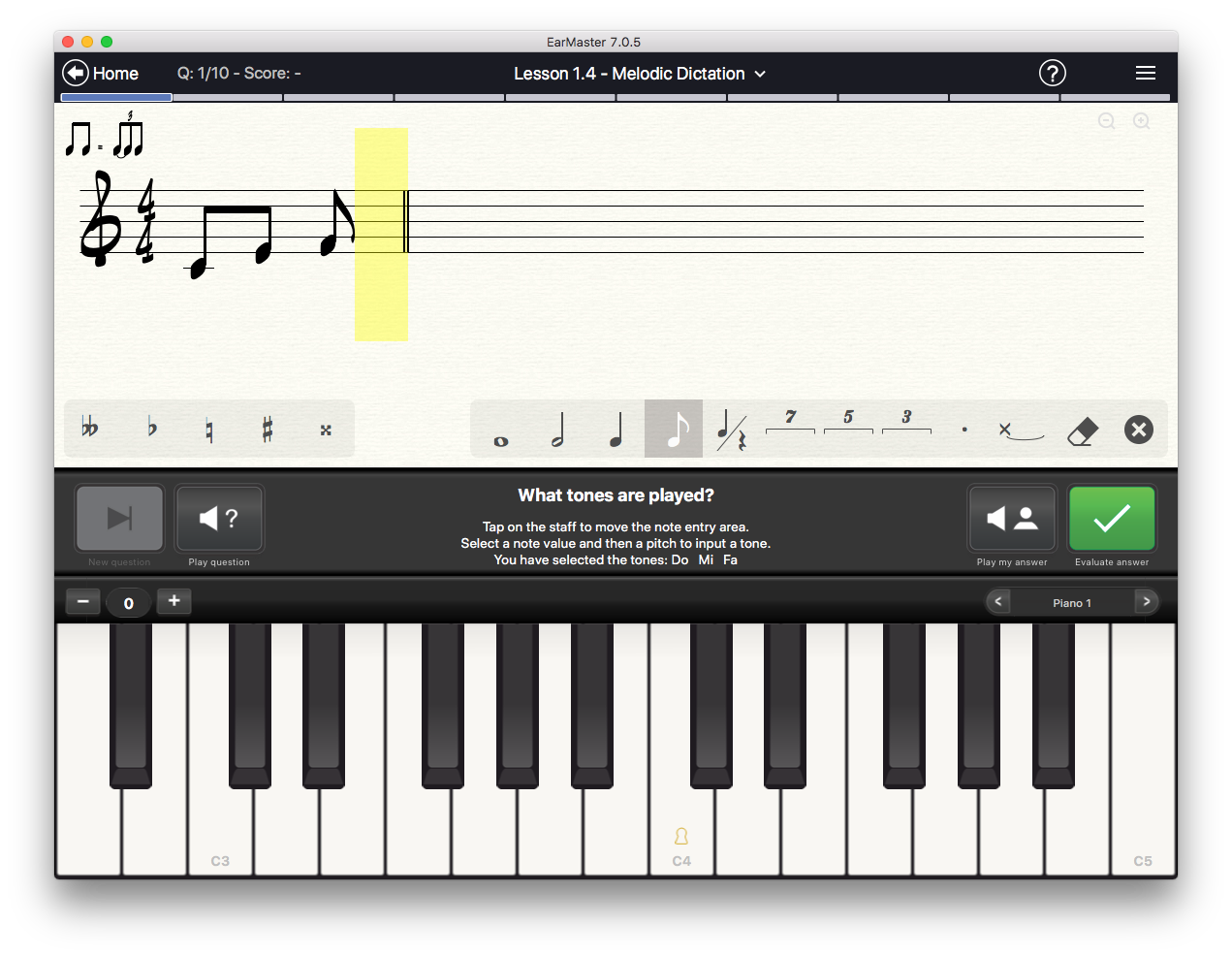
Share your assignments, drills and tests easily with your students and classes. Everything is kept automatically in sync and ready to use anytime, anywhere: New assignments are loaded automatically in the student app, and student results show up instantly in the teacher version as the students complete their assignments.
Pricing
EarMaster Cloud is available as an affordable annual license for schools, conservatories, choirs, and private teaching studios of any size. The license gives full access to EarMaster Cloud on all common platforms. This also includes all the courses and workshops in the app - and free updates as new versions and content are released.
| 5-9 users | $19.50/year per student or teacher Example: $97.50 in total for 5 users |
| 10-19 users | $13/year per student or teacher Example: $130 in total for 10 users |
| 20 to 99 users | $9.50/year per student or teacher Example: $190 in total for 20 users |
| 100-399 users | $7/year per student or teacher Example: $700 in total for 100 users |
| 400-999 users | $5.50/year per student or teacher Example: $2200 in total for 400 users |
| 1000+ users | $4.50/year per student or teacher Example: $4500 in total for 1000 users |
Do you want more flexibility? Or do your want your students to buy their own access?
Because every school has different needs, EarMaster also offers alternative licensing options: Student-Paid Licenses and Consumable Credits. [Details]
STUDENT-PAID LICENSES FREE FOR TEACHERS
Pros: Free for the school, no budget needs
Cons: Students sign up on their own
Students buy their own access to EarMaster as either:
- 1-Year All-Access Pass - $39.95
- Monthly Subscription - $5.50/month
- Yearly Subscription - $39.60/year (i.e. $3.30/mo)
Your school gets a free school account with one free teacher account for the first 5 enrolled students, and one additional teacher account per 20 enrolled students.
To get started with this option and obtain your free school account, please contact This email address is being protected from spambots. You need JavaScript enabled to view it..
CONSUMABLE CREDITS MOST FLEXIBLE
Pros: Flexible, more control
Cons: higher cost, more administrative work
Get 100% control over when the licenses are used with EarMaster Cloud credits, a flexible Pay-Per-Use licensing solution: If your number of users varies a lot during the year, or if you only need access to EarMaster for a few months, our credit system may be the right choice for you.
Purchased credits are loaded on your school account and then consumed on a daily basis according to the total number of students and teachers currently enabled in your account. 1 credit = 365 days of use by 1 student or teacher.
Cloud credits calculator
Calculate how many credits you need
Prices displayed in US Dollars excluding taxes.
Example: 10 users will consume 10 credits in 1 year, 5 users will consume 10 credits in 2 years, and 20 users will consume 10 credits in half a year.
You are free to add or remove as many users as you want, anytime you want. The credit consumption rate will be instantly updated and visible in your Admin dashboard. When your school account runs out of credits, licenses are temporarily deactivated until more credits are added to your account.
Licensing FAQ
Are there extra expenses or hidden costs that are not included in the advertised prices?
Are new versions and updates included in the price?
How much does support cost?
How can I pay?
Can I get a quotation?
Do I need to get separate licenses for EarMaster Cloud and the EarMaster app?
Do you offer educational discounts?
Does a teacher license cost more than a student license?
Is there a way to use EarMaster free of charge?
Are the licenses tied to specific users, or can they be re-assigned midterm?
If you are using the credit system instead of the annual subscription, then you are free to add or remove as may users as you want, anytime you want, which will simply speed up or slow down the rate at which your credits are consumed.
Does the license period need to be one year?
Is there a minimum order size?
I only have one or two students, what are my options?
EarMaster is a proud member of the following organizations