
Check for update

|
Update jetzt downloaden |
New: MELODIAThe Classic Sight-Singing Method Comes to Life in EarMaster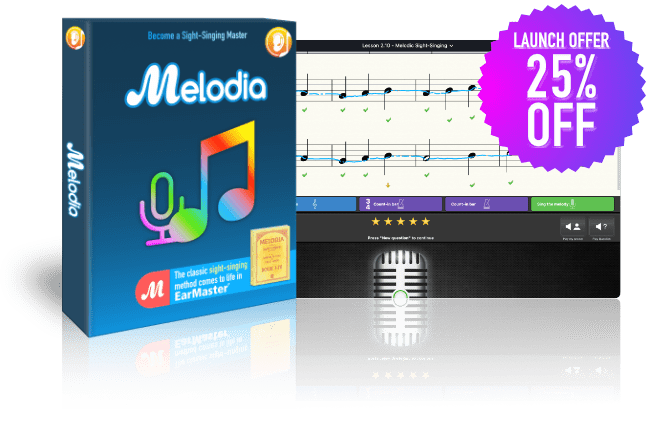 Master sight-singing with Melodia, a brand-new course available in EarMaster! Melodia is a classic sight-singing method used in music schools worldwide since 1903! Today, it becomes interactive in EarMaster, ready to help you bring your sight-singing skills to new heights. Key features:
Languages available: English, French, German, Spanish Melodia is available with EarMaster subscriptions or as a standalone license. If you already have an active monthly or annual subscription, you have access to MELODIA at no extra cost. Simply update the app, and it'll show up in your home screen. To celebrate 🎊 the release of MELODIA, we're happy to give you an exclusive 25% DISCOUNT for a limited time! |
| Sight singing exercises: Improved automatic zoom, scrolling and size of staff to maximize usability for scores that require scrolling |
| The Functional Keyboard can now also display absolute tone-naming systems (i.e. A, B, C,... and Absolute-Do solfege) |
| The Tone Ladder can now also show absolute tone naming |
| MIDI input now records the velocity in real time exercises (Imitation and Sight reading) |
| Music XML import has been highly improved. It supports more types of data and also gives better feedback when it finds unsupported elements. For example, it now supports import of percussive staves (monophonic only). |
 New: Solfege FundamentalsThe Easy Method to Learn Movable-Do SolfegeHave you ever wanted to master movable-do solfege? With EarMaster’s brand-new Solfege Fundamentals course, you’ll go from novice to pro in no time. Featuring 67 exercises, this course will teach you how to sing notes using solfege syllables with ease and confidence. Solfege Fundamentals is included in EarMaster personal subscriptions and Educational Cloud accounts. So if you have one of those, simply update EarMaster in order to use the new Solfege Fundamentals course right away—no extra cost! You can also acquire a regular license for Windows and Mac only Buy for Windows/Mac Subscribe for iOS, Android, Windows & Mac |
| Facelift of EarMaster: adding Course Icons to Preferences and Lessons etc. |
| Imitation exercises now have a "Play Question" button (both Clap back and Sing back). The "Show staff" button transforms to a Play Question button when the staff is visible. |
| Teachers only: In the Workbook editor, the "Auto New Question" can also be set to "If above threshold", and you can define the threshold value to be used. |
| The Rhythm Tapping input interface now sports a speaker-shaped button that lets you turn the clap sounds on/off |
| New setting "Select last used lesson or activity on startup" in the Home Screen tab of EarMaster's Preferences |
| New tone ladder instrument! Sight-sing from solfege syllables displayed on a tone ladder, representing pitches and steps in a pedagogical way. |
| The pitch curve is now also shown on the note names instrument, and of course on the new tone ladder instrument. |
| The lesson list of a course in the home screen now shows which lessons you have completed, as well as your best score for each lesson. |
| New free course: "Greensleeves" - explore the English folk ballad Greensleeves with a series of EarMaster exercises. |
| New “feature: Bass line singing. You can now choose the chords of a lead sheet as the evaluated voice in sight-singing exercises. Then your task is to sing bass line of the accompaniment. |
| Improvement of the Melody Generator: The 6/8 time signature is now also available. |
| Improvement of the Melody Generator: Rests, Dotted notes and Triplets are now also available. |
| Improvement of the Melody Generator: The maximum number of bars has been increased from 4 to 8. |
| Improvement of the Melody Generator: You can now configure the melodies to start either on step 1, or on step 1, 3 or 5. |
| Improvement of continuous mode in sight-singing: If a lesson is in one single key, the tonic will only be heard before the first question. |
| Chord Progressions: It is now possible to define "progressions” consisting of one single chord. This makes it possible to create exercises in which you must identify one chord within the context of a key. |
| Bluetooth Latency Compensation: A second “Input Timing offset” setting dedicated to Bluetooth devices has been added in Preferences in order to compensate for the large delays caused by Bluetooth devices. |
| German and Spanish version of Melodia improved |
| Solfege Fundamentals (English edition): improved text and fixed spelling error. |
| Solfege Fundamentals course is now also available in German and in Danish |
| Full Swedish translation of program text, Beginners Course and workshops. |
| Fixed spelling error in the Netherlands program text |
| Improved Chinese translation of program text |
| French version of the free "Call of the notes" course |
| Updated translation in French, Spanish, Italian, Polish, Portuguese, Turkish, Czech, Slovene |
| Traditional Chinese adaptation of the app text and the Beginner’s Course. Note: This is a computer conversion from Chinese Simplified, so please let us know if you find errors in the Traditional Chinese version! |
| Fixed the Dutch translation of the Beginner’s Course: some text lines were still in English. |
| Critical | Fixed problem with Back button sometimes being non-clickable (Cloud login users only) |
| Important | Ties in scores were not loaded correctly in some situations |
| Important | Melodia: Staff auto-scrolling during answering could go wrong |
| Important | Melodia: Upper instrument locked to "staff" |
| Important | Some sight-singing lessons had the "Play Count In" option turned off |
| Important | Rhythm Error Detection: exercises with tied notes were not played correctly |
| Important | Cloud login could hang if a local workbook was loaded in the home screen |
| Important | Teachers only: Saving a workbook could crash the EarMaster program when selecting certain folders |
| Important | Fixed in import of backup: did not import results |
| Important | Fixed error message: "tUserInfo.LoadFromIndexStream: Overwriting unsaved changes" |
| Important | Class assignments could not be used in offline mode |
| Important | Melodic dictation: Dotted notes and triplets did not show up in the note toolbar when a melody with dotted notes or triplets was generated |
| Important | Sight-singing and Singback exercises: moving the mouse cursor above the staff could cause the app to insert and drag notes erratically |
| Important | Fixed in lesson introductions: In some situations, the text of the lesson description could disappear when scrolling. |
| Important | Fixed the error message "Oops, it looks like you didn't allow Microphone..." even when granting Microphone permission in macOS settings. |
| Moderate | Importing MusicXML with pitched percussion voices could result in errors |
| Moderate | Functional keyboard in one-tone dictation exercises: it now sticks to just one octave, and no longer jumps in size. |
| Moderate | Fixed in Customized Exercise: Wrong First tone shown in Chord/Scale exercises when Execution = Random |
| Moderate | Multiple fixes with Midi remote control: UNDO did not work, Program Change did not always work as a remote control message, and more |
| Moderate | Fixed the "AudioQueueStart" error that could be shown in certain situations when EarMaster is activated again after having been in the background. |
| Moderate | Melody Dictation: Fixed issues with stem directions if voice contains tie notes, and Undo states when using Mic in Pitch-Only |
| Moderate | Preferences: Transposing instruments setting was wrongly reset for Primary String instruments |
| Moderate | In some cases loading workbooks from recent files failed with a missing permissions error |
| Moderate | Class assignments did not show on first run after a clean install |
| Moderate | Melodic dictation: Playing the user's answer could sometimes trigger an error message |
| Moderate | Melodic dictation: Using a microphone as input method caused problems and errors |
| Moderate | When using the Tone ladder with melodies that included rhythmic note values, the highlighted tones were out of sync during playback |
| Moderate | On some MacOS computers, no sound effect was played when evaluating an answer |
| Moderate | The "Auto Submit Answer" option now works correctly with multiple-choice buttons. Before, it would always evaluate your answer, even when the expected condition was not met. It could also, in some situations, evaluate a wrong answer as correct. |
| Moderate | Fixed error in the General Workshop Rhythm Error Detection: some lessons could trigger the error message: "could not make changes with the chosen setup" |
| Low | Better alignment of playback volumes of Question and User answer |
| Low | Fixed in the Solfege Fundamentals course: it showed numbers and not solmization syllables in lesson introduction of lesson 1.2 when coming directly from lesson 1.1 |
| Low | Fixed in Rhythm Dictation after answer: Text with evaluation feedback disappears if playing question or answer again |
| Low | ... and many other minor improvements and bug fixes! |
| Low | ... and many other minor improvements and bug fixes! |


